|
| Overall Rating: |
0% |
Abstract: As part of the Black Box PSU Mod
we wanted to increase airflow from the inside of the computer case and out through the powersupply.
|
|
|

|
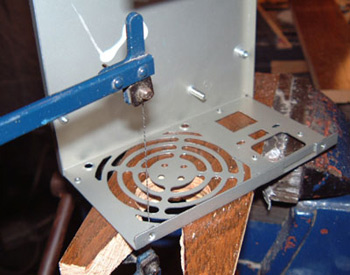
| Step 1. With the guts of the
powersupply safely removed the first step was to cut out that nasty back
grill which had just been punched out of the sheet metal. There are lots
of different ways to go about this, but the key thing to remember is that
you wan to cut the metal so it doesn't warp. Using something like a pair
of tin snips will work, but the final result won't look too hot. |
|

|
| A simple fret saw with a twist blade lets you cut
in 360 degrees, instead of just a straight line. Since the metal is
already heavily perforated the cutting only took about 5 minutes to
complete. |
|

|
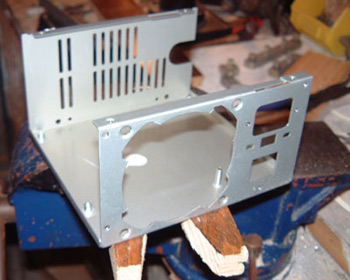
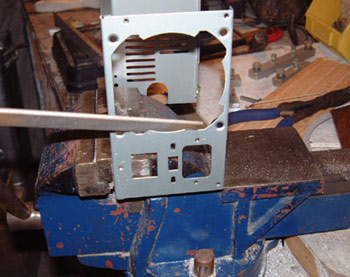
| Step 2. Those rough edges need
to disappear, and the best way to do that is with a file or a Dremel.
Since I completely blasted away the sanding disks for the Dremel a long
time ago it was easier to just use a good metal file. In any case,
removing the small bumps so the hole was left flat wasn't that much
work, |
|

|
|
Step 3. The final step was to cut out a vent on the
top of the powersupply where there was none. In most powersupplies today
this space is occupied by either a secondary fan, or a set of vents so
that hot air coming off of the processor can be quickly removed to the
outside of the case. This was our biggest qualm with the Zalman ST300BLP when we first reviewed it. The subsequent model has taken
care of the issue fully by the way.
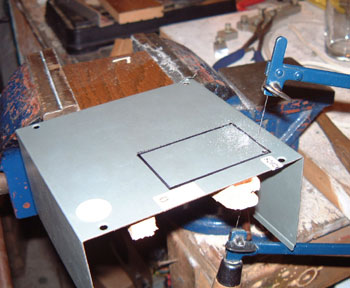
Cutting the hole was accomplished by first drawing out the
lines of the area we wanted to put grill under, and then by drilling a
starter hole for the fret saw blade to thread through so cutting could
begin. Cutting out this box took a little bit of time to complete since
the blade had a long way to go. |
|
 |
Time stamped:
4:17PM, 09.02.2010
|
 |