TOP 5 Heat Sinks TOP 5 Low Profile Heat Sinks TOP 5 Liquid Coolers
Heatsinks by Brand / Mfgr Reviews + Articless Advanced Search
|
TOP 5 Heat Sinks TOP 5 Low Profile Heat Sinks TOP 5 Liquid Coolers Heatsinks by Brand / Mfgr Reviews + Articless Advanced Search |
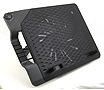
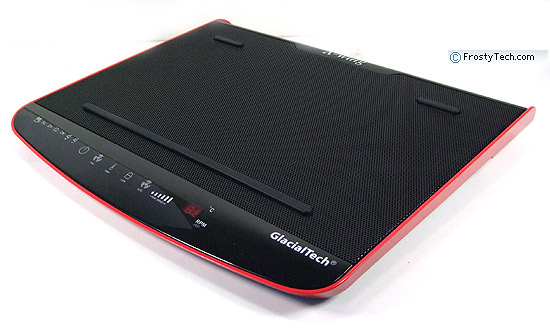
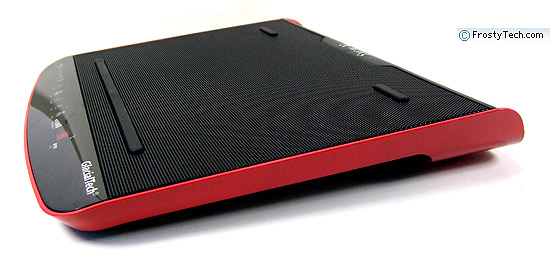
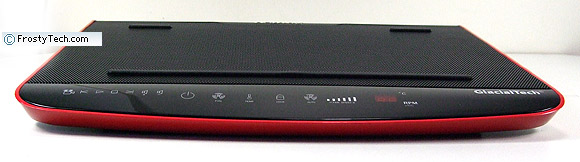
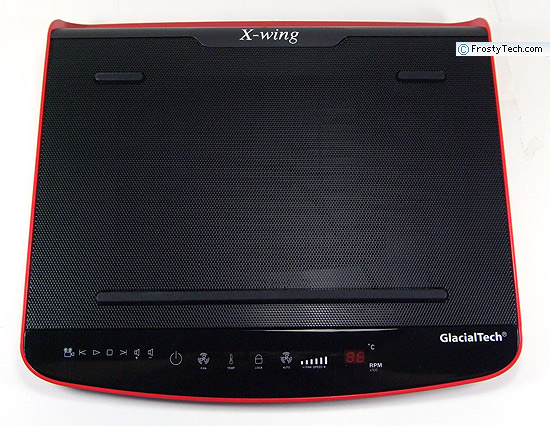
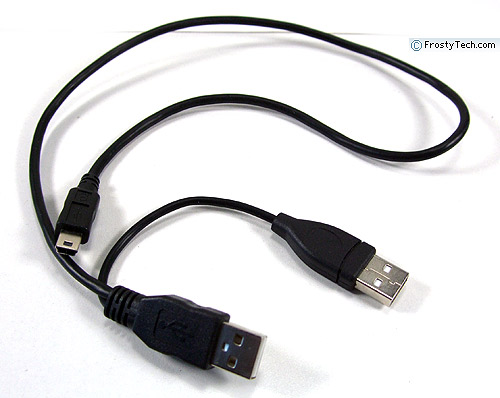
The Glacialtech X-Wing R1 notebook cooling pad accomodates chronically overheating notebooks with footprints of up to 365x250mm, either while sitting on a desk or resting comfortably on your lap. That means netbooks with screens as small as 7" and full size laptops with screens as wide as 17" should fit onto the X-Wing R1 without a problem. The bottom of the X-Wing is curved so it rests across your legs comfortably, without restricting airflow or cutting into you as some all-metal notebook cooling pads will. Below the spot where the laptop sits, the X-Wing R1 houses a single 70mm fan that directs air up towards the bottom of the notebook. A judicious use of metal mesh allows the Glacialtech X-Wing R1 to assist overheating notebooks without generating audible noise. Power is supplied to the sturdy plastic Glacialtech X-Wing pad by a single USB jack. For desk use, a set of adjustable feet allow you to angle the whole contraption, including integrated wrist support towards you. The unit weighs 1.2Kg and measures 380x350x50mm in overall size.
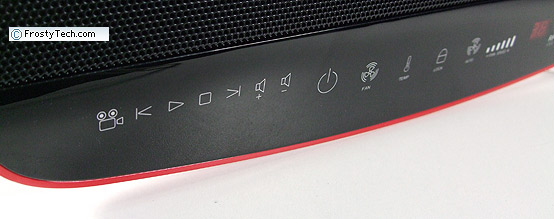
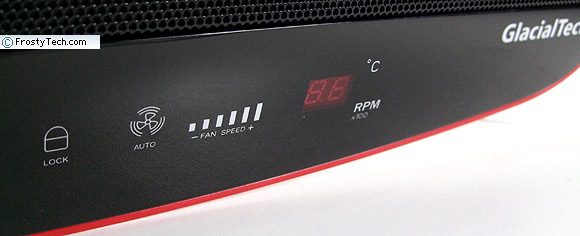
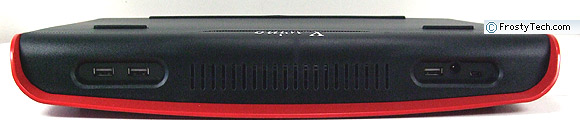
In addition the basic function this notebook cooling pad serves, the Glacialtech XWing R1 offers up a three-port USB hub and a handful of media shortcut keys. The wrist pad area on the X-Wing R1 doubles up as a touch sensitive control panel, allowing you to turn the device on, adjust fan speed to 1700RPM, monitor temperatures or leave it on auto.
Volume controls, media play/pause/stop/rewind buttons also add to the range of features, although it's debatable how necessary this is for notebook users. Glacialtech's X-Wing R1 notebook cooling pad comes in metallic red, yellow, white and gray, it retails for about $50 online and comes with a protective fabric carry case for travellers.
Laptops in bed and on laps. There's not much to the basic features and functions of the Glacialtech X-Wing R1 cooling pad, but I think it's worth expanding on the lap use of the device a little more... Glacialtech lucked out when the designed this cooling pad, for not only does it look nice compared to the utter junk that's out there, it's also quite comfortable to use on your lap or while reclining in bed.
Generally speaking, a flat surface is all a laptop needs to properly cool itself. Notebook overheating problems tend to occur when using a laptop on a soft fabric surface (pants, a pillow, bed covers, etc.) that conforms to the base of the computer and blocks ventilation ports. Page 3 of your laptop instruction manual spells it out clearly ("use on a hard flat surface only"), but it's not like anyone reads those pamphlets do they?
As a surface for using a notebook on your lap, or late night computing while in bed the Glacialtech X-Wing R1 proves to be surprisingly handy. It presents the notebook at a comfortable angle to the wrists, doesn't cut into your legs and is rigid enough to shift over while supporting a 3-5kg notebook with one hand. Rubber pads on the top of the metal grating keep the notebook from sliding off, or worse yet, getting scratched. Despite the cheesy name, the X-Wing R1 looks nice with its bright red metallic flecked edge.
Control Panel on a Notebook Cooling Pad A few readers will probably like the touch sensitive control panel and media keys, particularly those who work on a desktop replacement laptop. I found the control panel intuitive and easy to use.... and unnecessary. In terms of product differentiation I get where the manufacturer is coming from, but practically speaking you'll be better served by the Glacialtech X-Wing R2 model which has only basic fan functionality and no touch panel.
In regards to the control panel, it gives you a lot of control over what should be a passive device. To put it frankly, there 's no need to "need" to adjust fan speed between 1000-1700RPM. Both settings are essentially quiet, I say let the technology figure it out for itself. Related Articles: The Top 5 best heatsinks for low noise and low temperature are ranked here. For more reviews on the latest heatsinks and cooling solutions, rely on FrostyTech's inventory of 400+ heatsink reviews. Here are a few other articles that you might enjoy as well. - Cooler Master V8
Heatsink Review |
 |
|
| ||||||||||||||||||||||||||||||||||||||
|
Find a Heatsink . Latest Heatsink Reviews . Top 5 Heatsinks Tested . Top 5 Low Profile Heatsinks . Top 5 Liquid Coolers . Heatsinks by Mfgr / Brand |
Social Media |
FrostyTech.com Info . Feedback . Contact Us / Heatsink Submissions . Submit News . Privacy Policy |
 | |
© Copyright 1999-2025 www.frostytech.com All Rights Reserved. Privacy policy and Terms of Use Images © FrostyTech.com and may not be reproduced without express written permission. Current students and faculty of accredited Universities may use Frostytech images in research papers and thesis, provided each image is attributed. | ||||

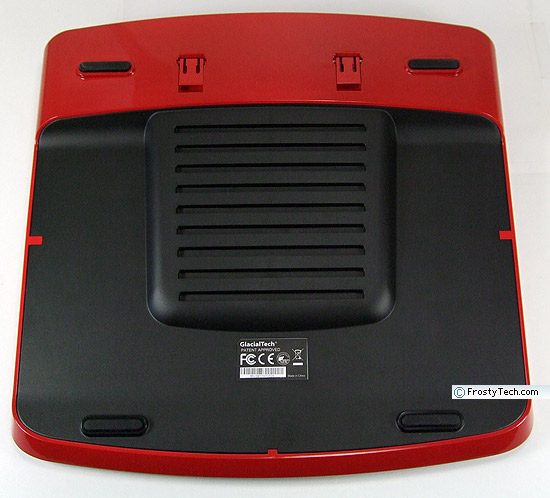
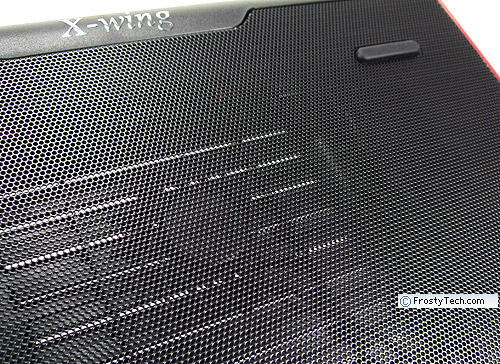
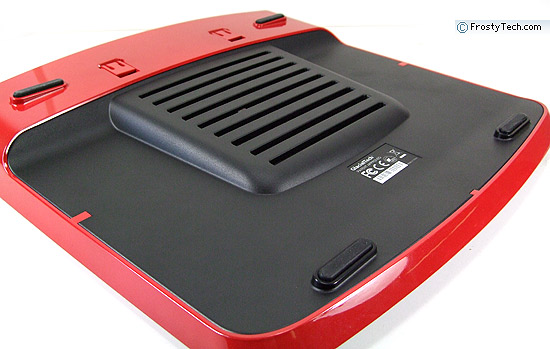
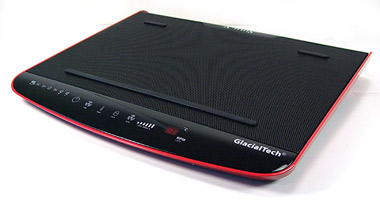 In respect to cooling, the metal grill surface and bottom/rear cooling vents
will do a sufficient job for most notebooks, the 70mm fan is okay for tougher
heat situations but two fans might have been a better choice.
In respect to cooling, the metal grill surface and bottom/rear cooling vents
will do a sufficient job for most notebooks, the 70mm fan is okay for tougher
heat situations but two fans might have been a better choice.