TOP 5 Heat Sinks TOP 5 Low Profile Heat Sinks TOP 5 Liquid Coolers
Heatsinks by Brand / Mfgr Reviews + Articless Advanced Search
|
TOP 5 Heat Sinks TOP 5 Low Profile Heat Sinks TOP 5 Liquid Coolers Heatsinks by Brand / Mfgr Reviews + Articless Advanced Search |
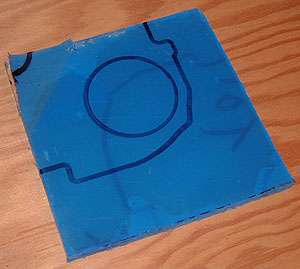
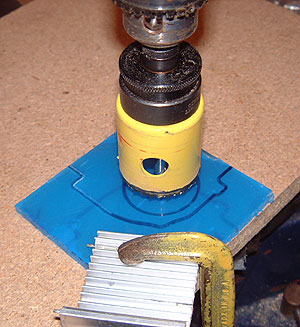
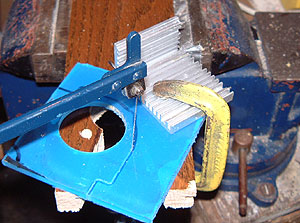
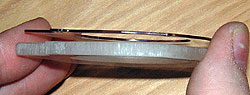
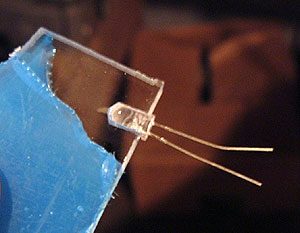
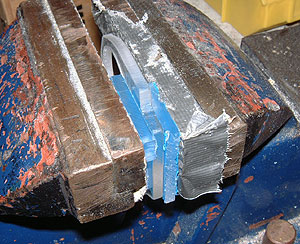
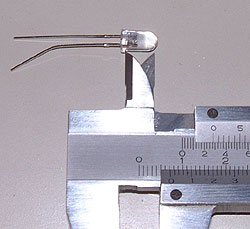
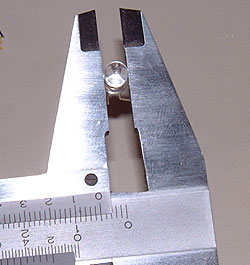
Glowy Geforce 4 Mod: How-to do it Sometimes we get the oddest ideas for mods, and while this isn't something we devote too much time too around here, the Glowy GeForce mod turned out kind of cool. Most importantly it only took a few minutes to whip up. The basic idea was just to liven up an MSI Ti4200 we had on the review block, and short of back lighting the videocards PCB bright blue, the fan mod seemed a good one to try. Here's how we went about making the Glowy GeForce 4 attachment. The first step was to remove the existing shield over the Geforce 4 heatsink and use it as a template for our stock 1/4" thick plexiglass.With everything traced out we picked up the right sized hole saw to cut out the center and locked it into place on an existing arbour. This wasn't really necessary in the end because the twist blades we used with our fret saw cut through the material like butter. In any case it took a few seconds for the hole saw to cut a perfect circle from the plexiglass.
|
 |
|
| |||||||||||||||||||||||||||||||||||||||||
|
Find a Heatsink . Latest Heatsink Reviews . Top 5 Heatsinks Tested . Top 5 Low Profile Heatsinks . Top 5 Liquid Coolers . Heatsinks by Mfgr / Brand |
Social Media |
FrostyTech.com Info . Feedback . Contact Us / Heatsink Submissions . Submit News . Privacy Policy |
 | |
© Copyright 1999-2025 www.frostytech.com All Rights Reserved. Privacy policy and Terms of Use Images © FrostyTech.com and may not be reproduced without express written permission. Current students and faculty of accredited Universities may use Frostytech images in research papers and thesis, provided each image is attributed. | ||||